Church follow-up software No one slips through the cracks after a first visit.
Conectados is church management software that helps you log everyone who walks in, give them a care leader and walk with them step by step. For pastors, leaders and welcome teams who don’t want anyone left without a call.
Notebooks, spreadsheets and group chats.
- A name in the notebook by the door.
- A row in someone’s spreadsheet.
- A message buried in a chat.
And by next Sunday, nobody knows who called whom.
When church visitor follow-up depends on the memory of a few people, some folks never get another call. Not for lack of love: for lack of a system.
Four steps, and no one gets left behind.
Add them
Log the person on the spot from your phone. A name and a phone number or email is all it takes.
Assign a care leader
Everyone is in someone’s care: whoever added them, or the care leader your church sets. An Administrator or Coordinator can choose someone else.
Walk with them
Calls, visits and prayer go into their story. Each person moves through the stages your church defines.
See who needs attention
Conectados tells you who’s On track, who Needs attention and who’s Critical, always with the reason.
A tour of the program.
Every image is from the real program, with sample data.
And this is what it looks like inside.
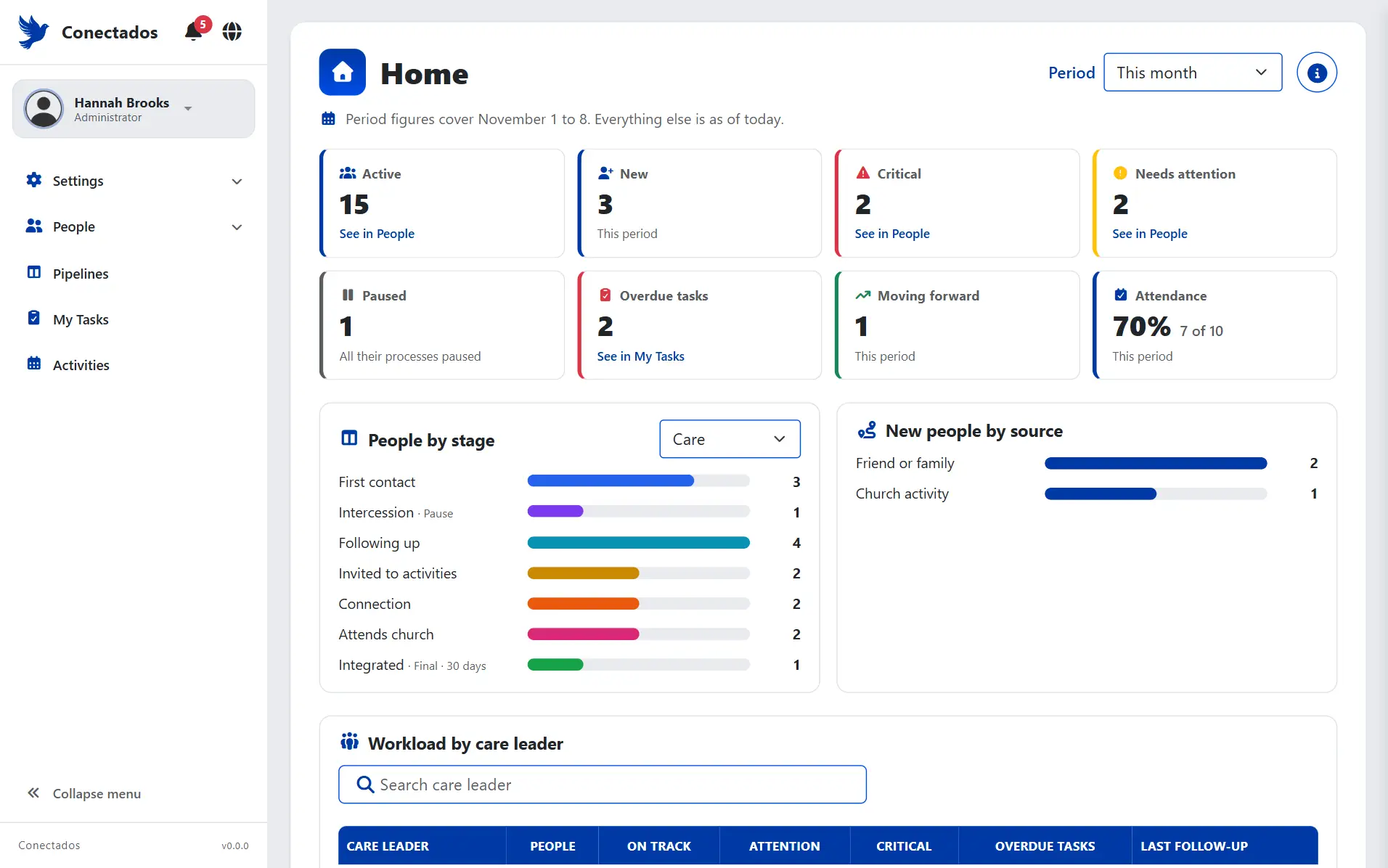
A church’s home screen in Conectados, with sample data.
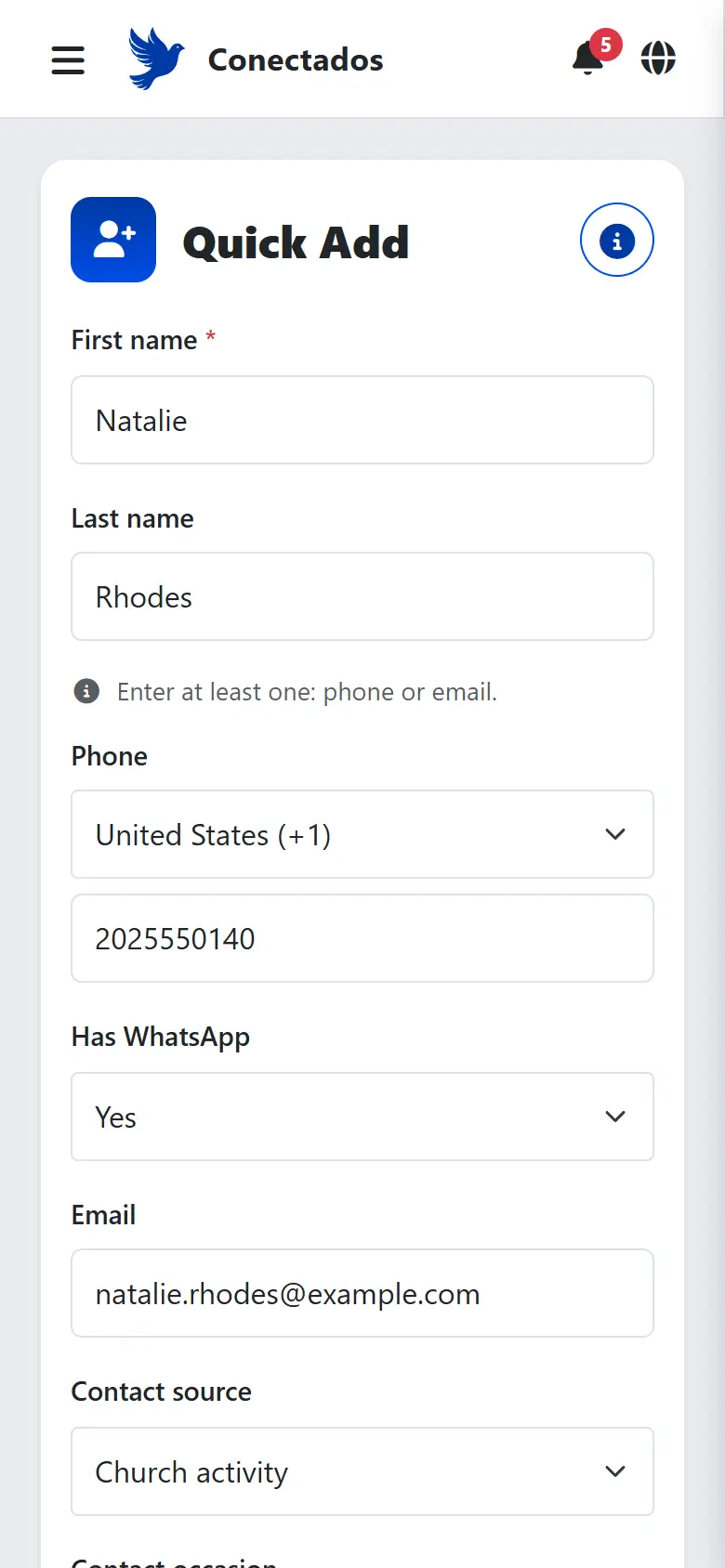
In the hallway, from your phone.
A name and a phone number or email: that’s all that’s required. Save, and the form is ready for the next person. If someone similar already exists, Conectados warns you before you create a duplicate.
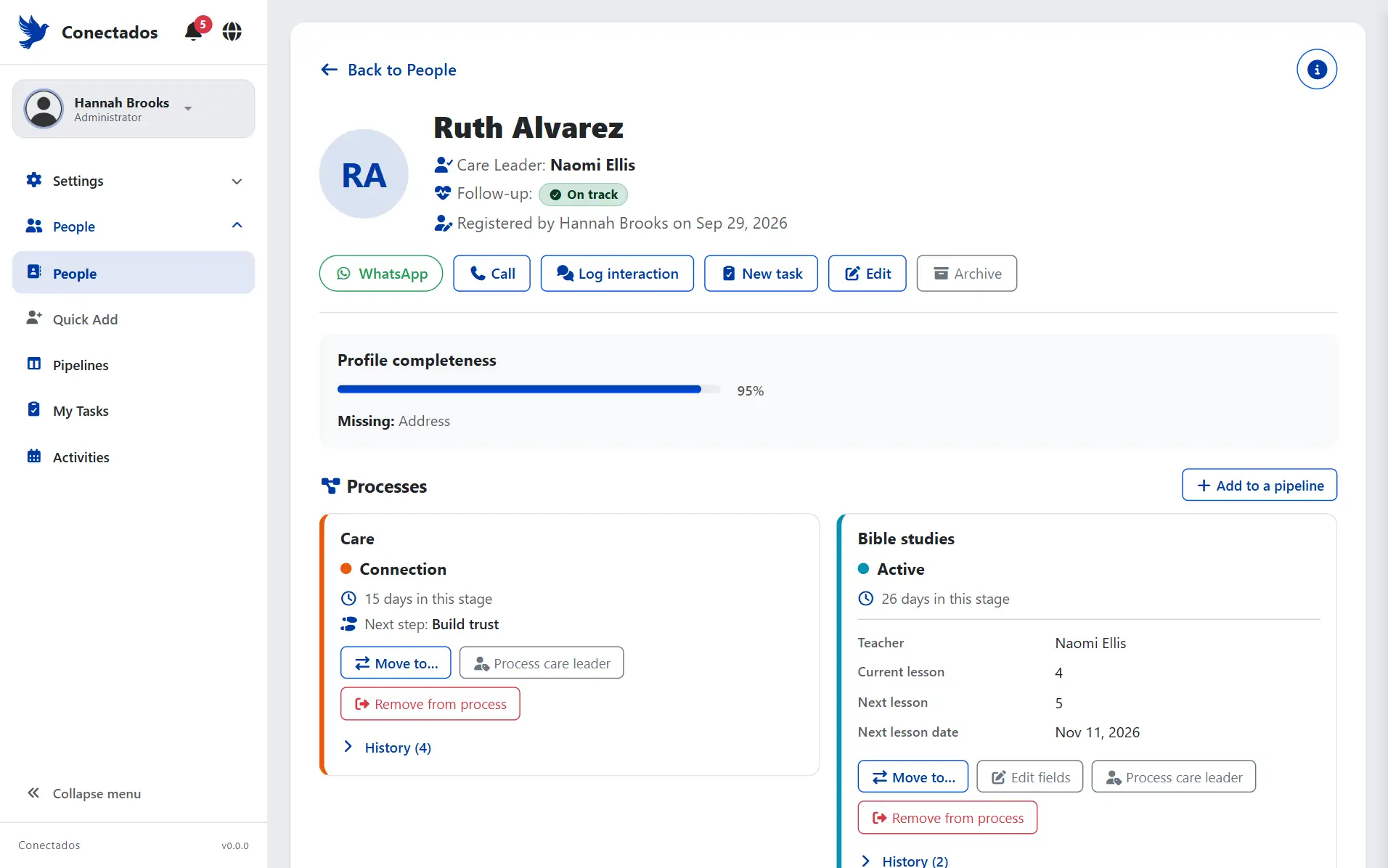
Everything you know about them, on one page.
Their details, the processes they’re in, their tasks and activities, and a timeline of every conversation. WhatsApp or call them in one tap.
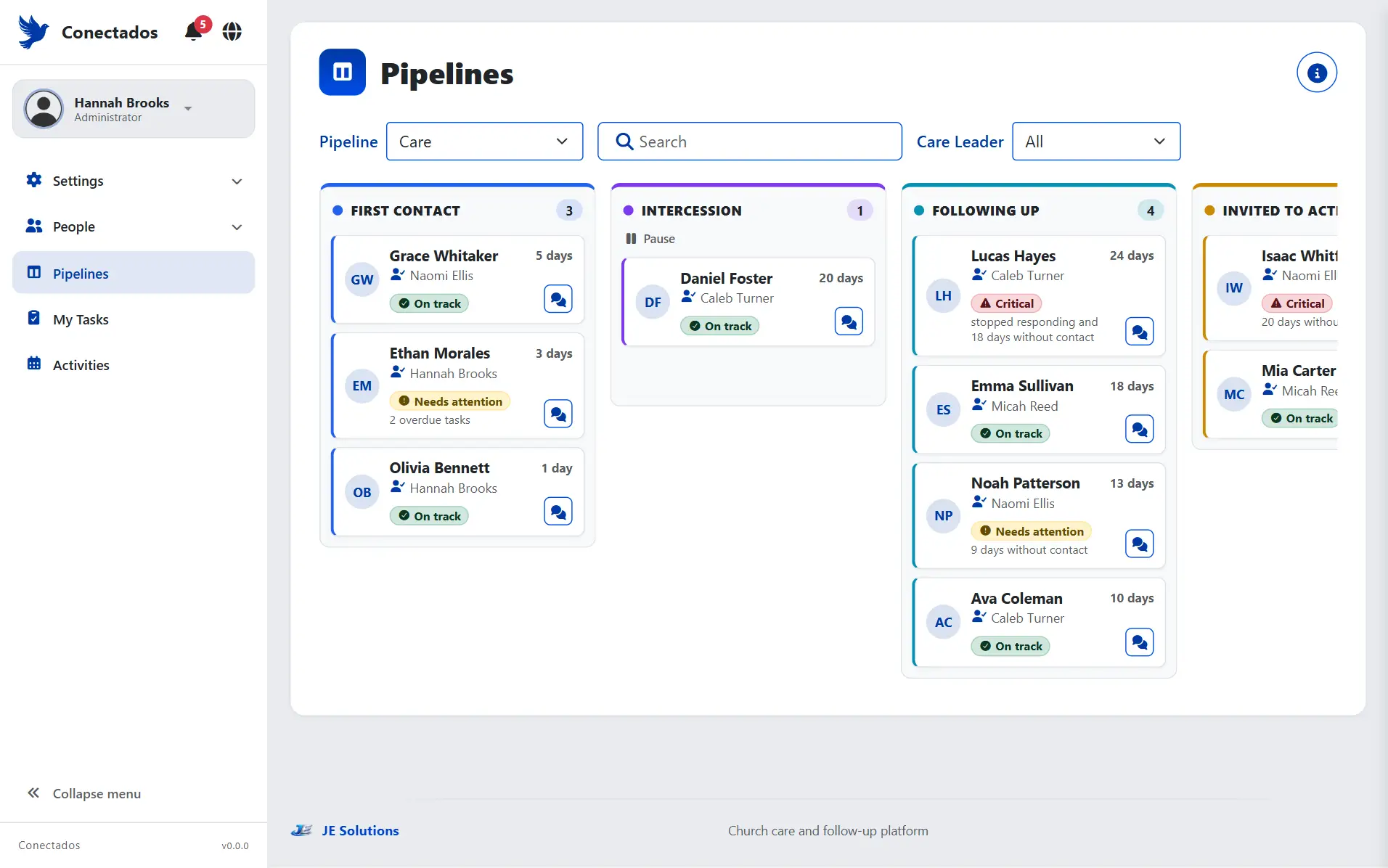
Every stage a column. Every person a card.
Drag a card to the next stage; on a phone, one stage per tab and a “Move to…” button. Your church starts with three processes (Care, Bible studies and Baptism) and adjusts them as needed.
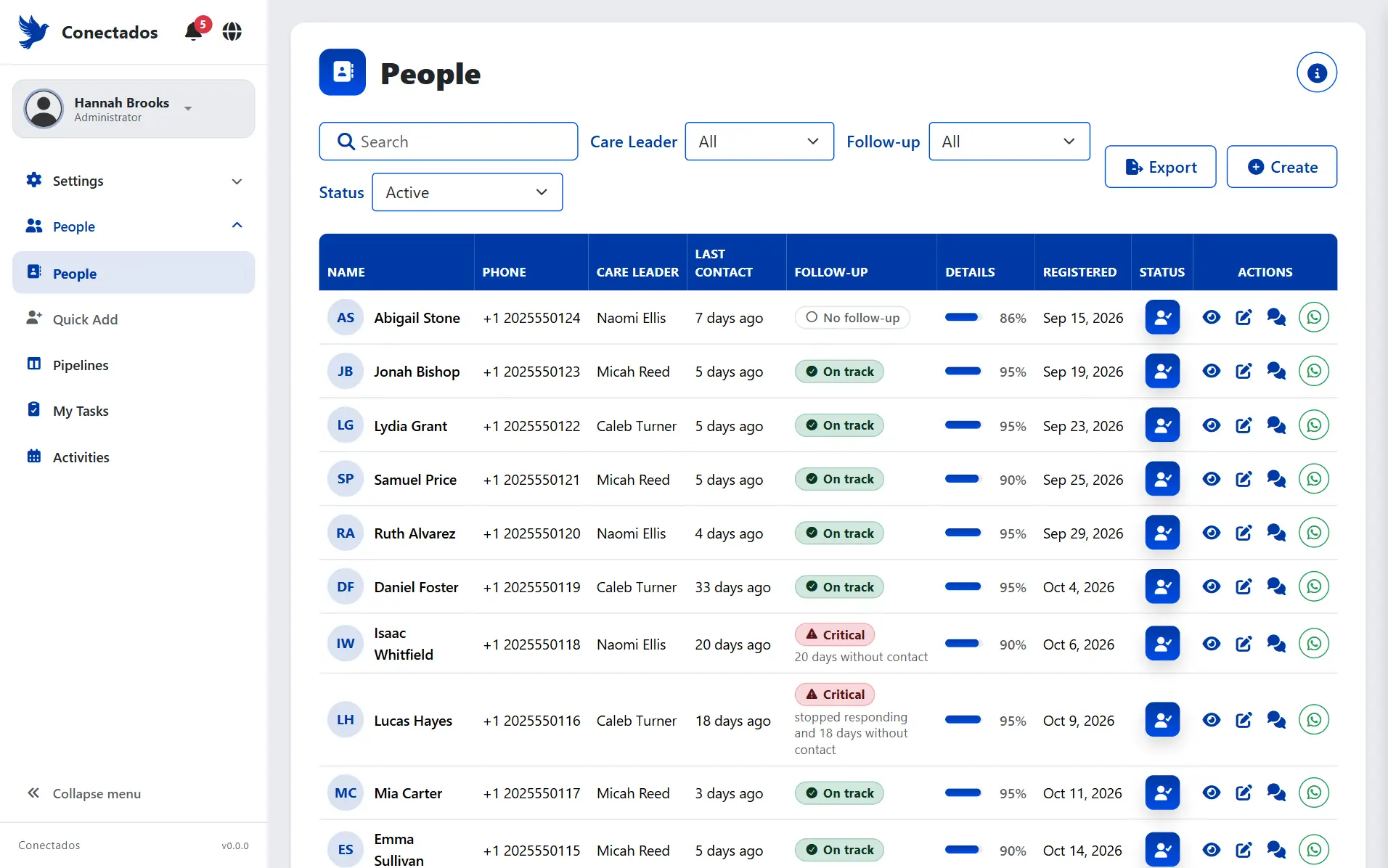
Conectados works it out. No one has to remember.
Every person has a status and a reason, like “Critical · 20 days without contact.” Each church’s Administrator sets the number of days.
- On trackThey’re being cared for on time.
- Needs attentionIt’s been a while since anyone reached out.
- CriticalSomeone needs to reach out now.
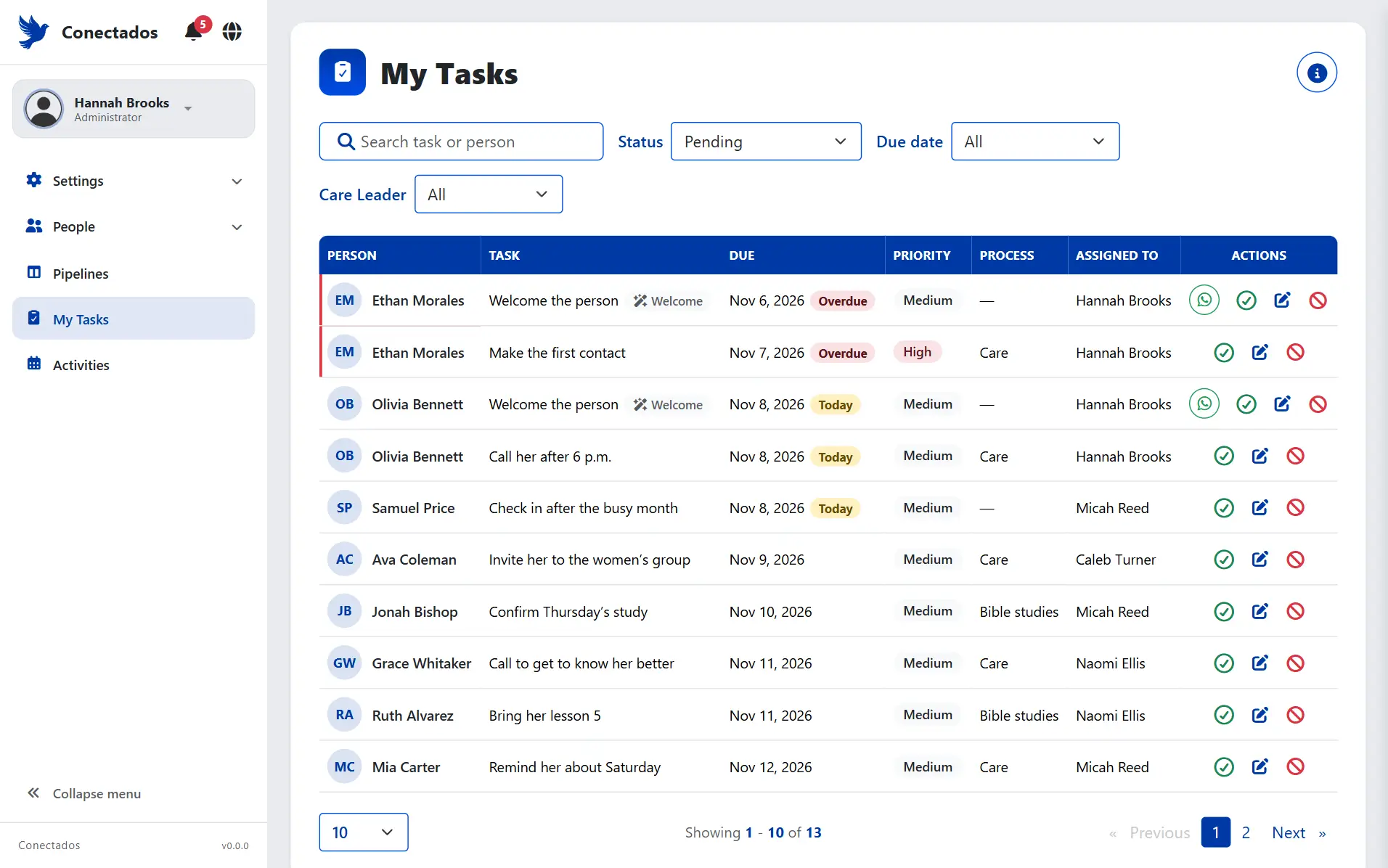
What’s due today, overdue first.
Everyone sees their own pending tasks and completes them right there. Log a conversation with a next action and a date, and the task creates itself.
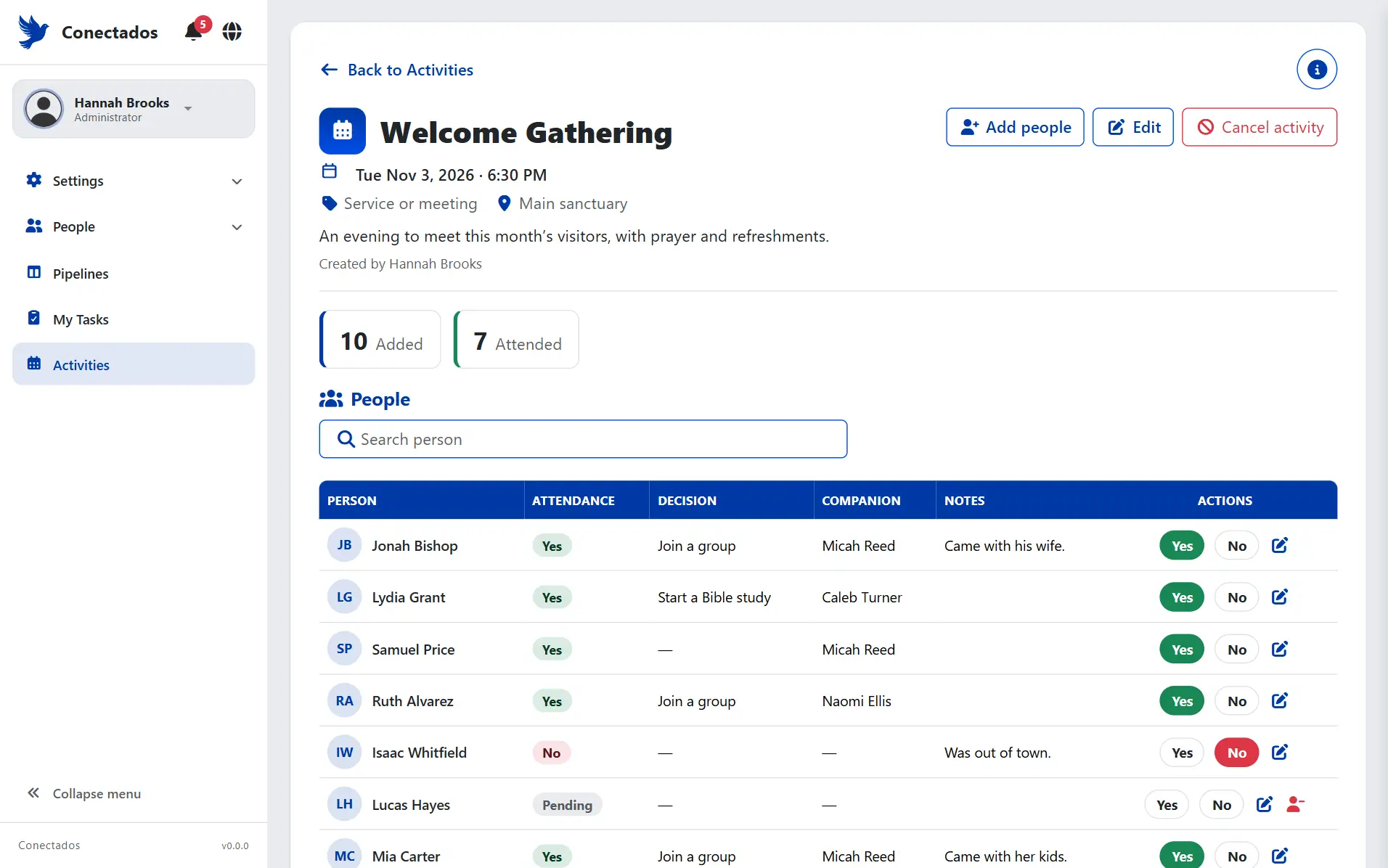
Who came, in one tap.
Services, workshops and groups, with their people and attendance: Yes or No. Attendance also counts as last contact.
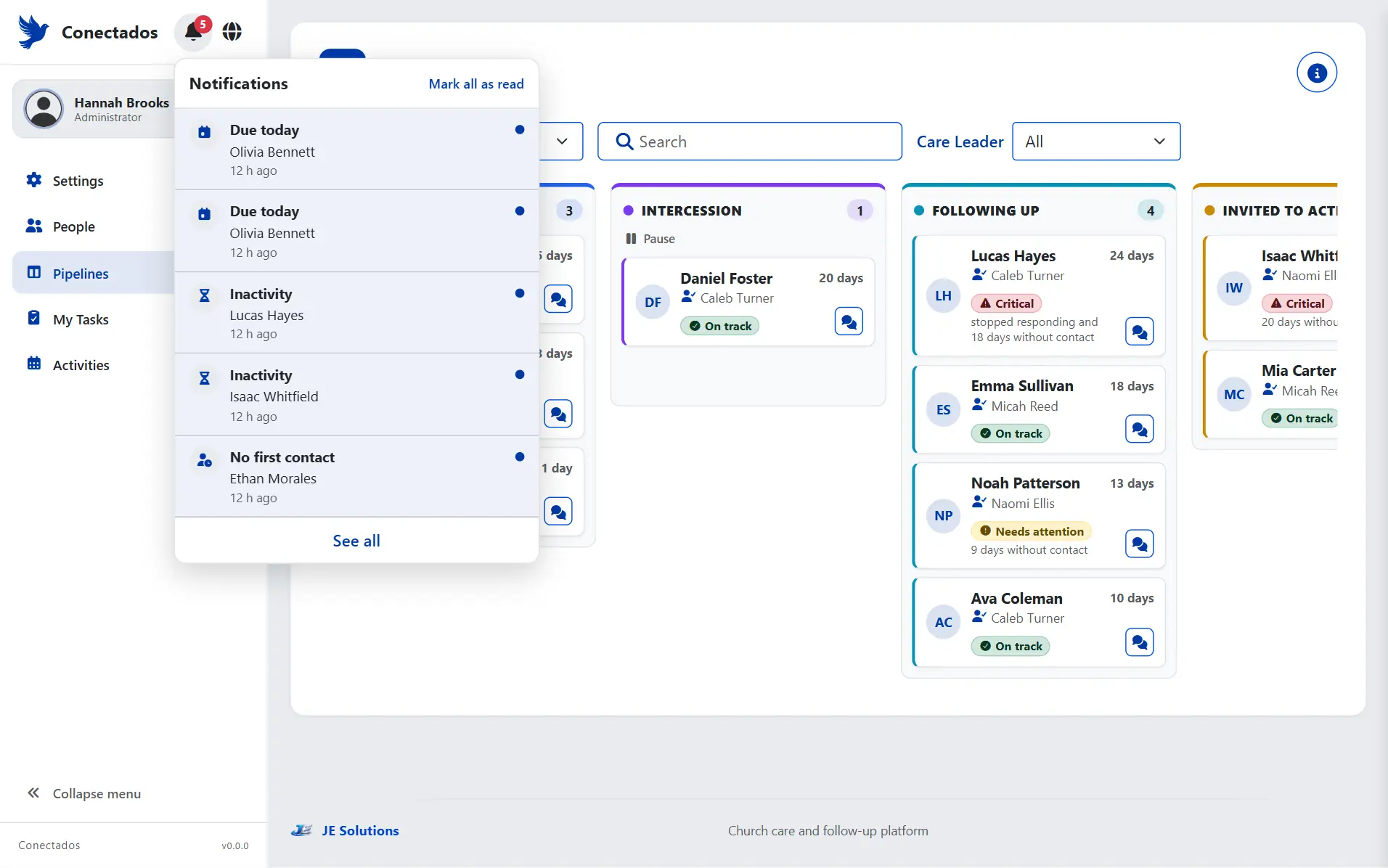
The bell lets the right person know.
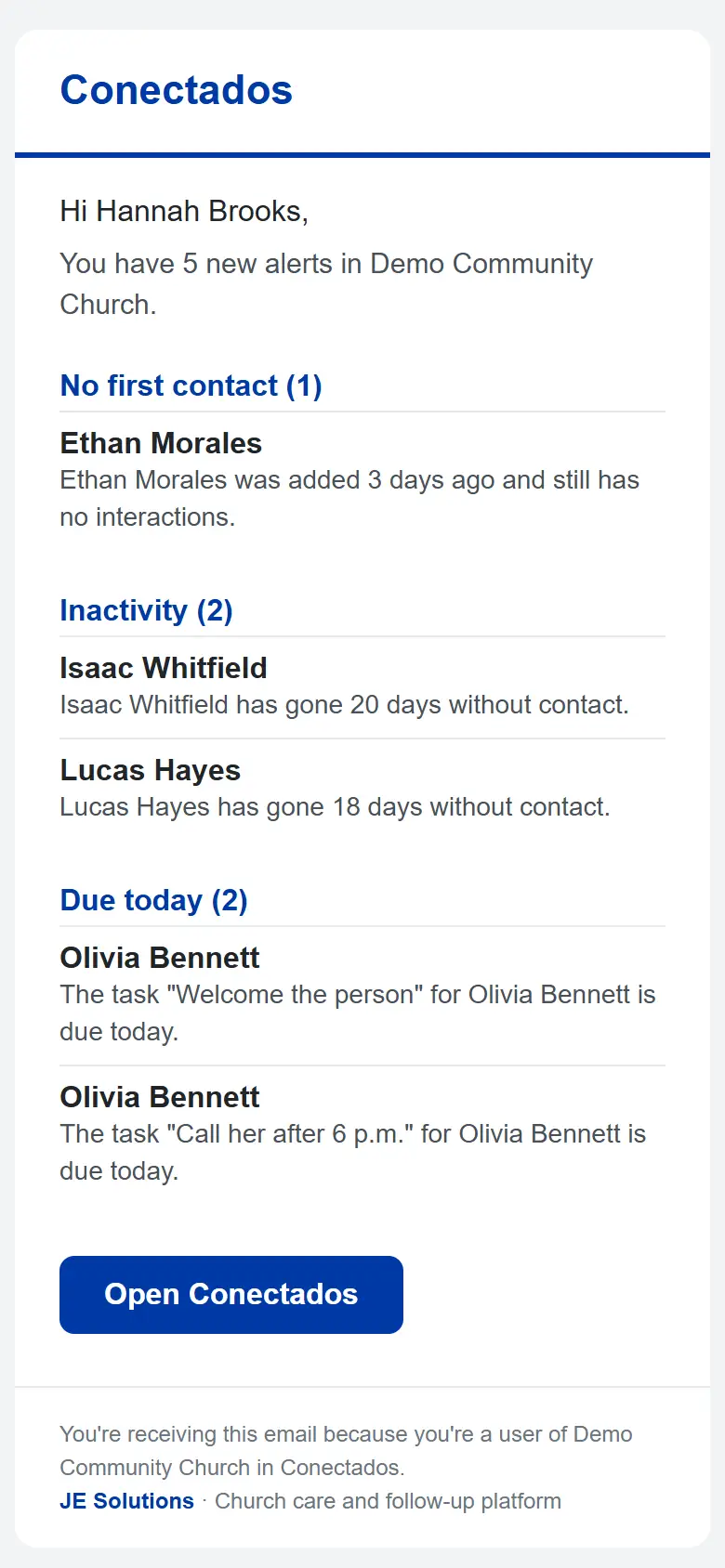
Someone with no first contact, a task due today, a person who stopped responding. Seven rules an Administrator can adjust or turn off.
And every morning, an email.
From 7:00 a.m. in your church’s time zone, with each user’s new alerts. No alerts, no email that day.
Bring your spreadsheet.
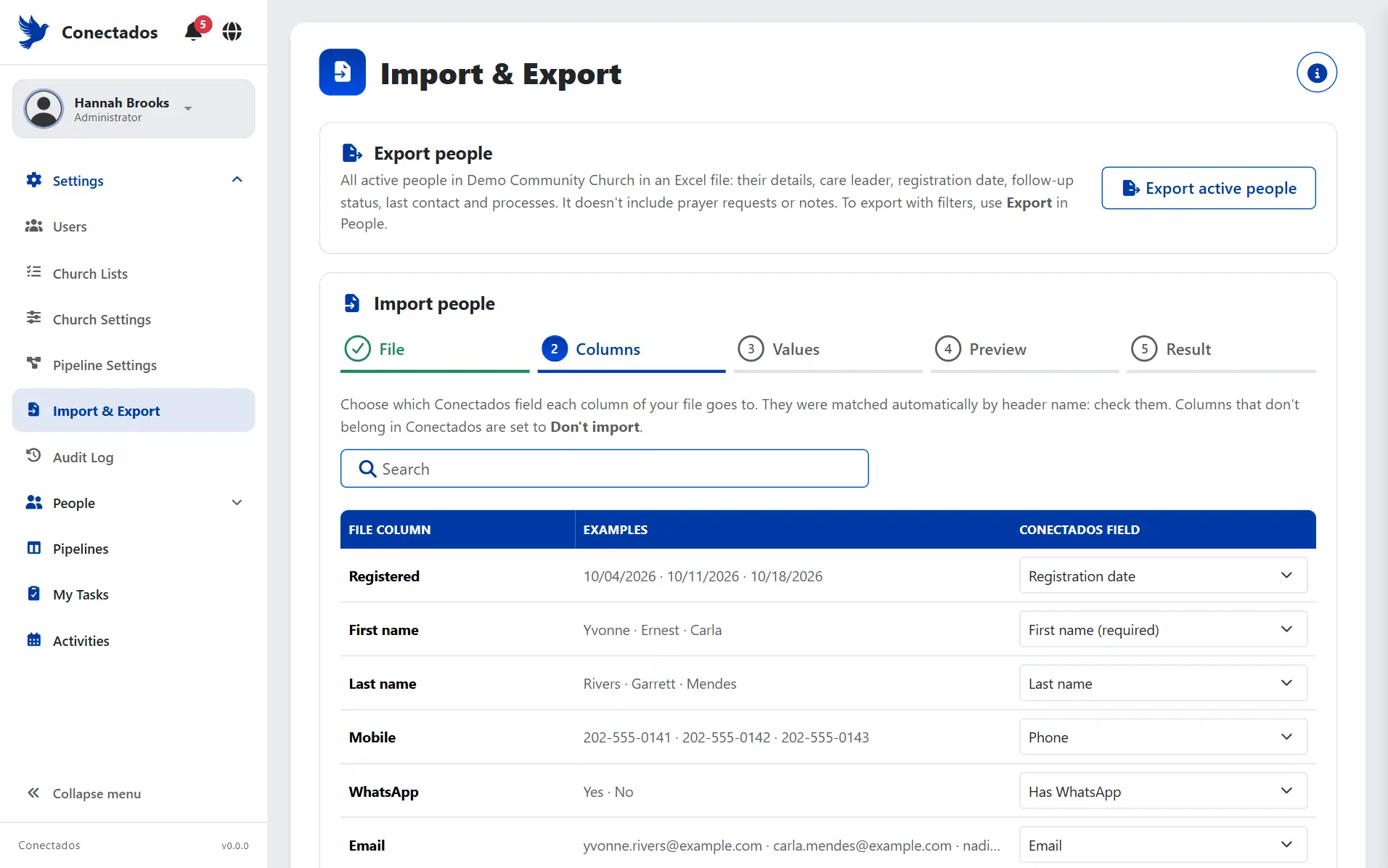
If your people are already in a spreadsheet, you’re not starting from scratch.
Upload an .xlsx, .xlsm or .csv file, match your columns to Conectados and check a preview before you import, with possible duplicates flagged.
- File
- Columns
- Values
- Preview
- Result
Any rows that don’t make it in can be downloaded as a spreadsheet, with the reason.
Everyone sees what’s theirs.
No one gets into what isn’t theirs, and each person opens the program to what they need to do.
Administrator
Sets up the house: configures the church, its processes and lists, creates users, imports and exports people and reviews the Audit Log. Sees everyone.
Coordinator
Sees everyone and each care leader’s workload, shares out the work and organizes activities.
Care Leader
Starts the day with their people and today’s tasks. Adds the people they meet and logs every conversation.
Welcome Team
Has one big button to add whoever walks in, and sees the people they added, without the follow-up.
Pastor / Leadership
Sees the whole church at a glance, to look without changing anything.
Frequently asked questions
How much does Conectados cost?
Message us on WhatsApp and we’ll tell you.
What is a church CRM?
It’s church software that keeps track of everyone who comes through your doors and the follow-up each one gets: who’s caring for them, what stage they’re at and when they were last contacted. Conectados is built just for that.
Do I have to install anything?
No. Conectados runs in the browser on a phone, tablet or computer. If you’d like, install it from your browser and it sits on your home screen like an app. It isn’t in the app stores and it needs an internet connection.
Does it send WhatsApp messages on its own?
No. Each person has a button that opens a WhatsApp chat with a message already written, and whoever taps it sends it from their own WhatsApp.
Can I bring in the people I have in Excel?
Yes. An Administrator uploads the file, matches the columns and checks a preview before importing.
Who can see people’s information?
Only your church’s users, according to their role. The Conectados team can’t see people or pastoral information in the platform.
Can I adapt the follow-up to my church?
Yes. Each church adjusts its processes and stages, Profile fields, lists, follow-up status days and automatic rules.
Don’t let the next person who walks in slip away.
Book a demo on WhatsApp and we’ll show you Conectados.
Book a demo